
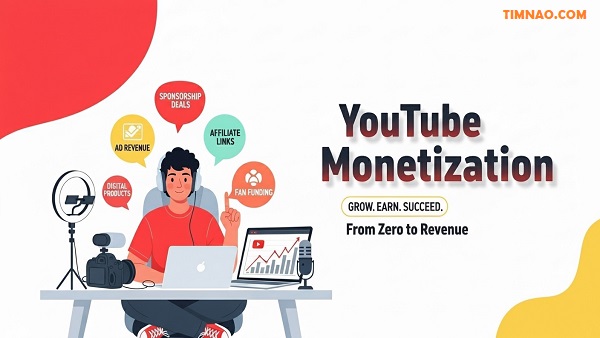
YouTube Monetization Made Easy: The Proven Beginner Blueprint 🚀
YouTube monetization can feel mysterious—especially when you’re just starting and the rules keep changing. The good news? You don’t need a studio or a viral hit to begin earning. With the YouTube Partner Program and a handful of smart strategies, you can turn your channel into a real revenue stream. This beginner-friendly guide reimagines the essentials into a step-by-step plan, adds fresh, real-world examples, and shows you practical ways to make consistent progress—without feeling overwhelmed. Along the way, you’ll also pick up foundational YouTube SEO moves that help your videos get found.
Table of Contents
- 🎯 Getting Your Goals Straight (and Why They Matter)
- 📋 The YouTube Partner Program (YPP): What It Is & How to Qualify
- 🧭 Your First Monetization Path: What to Turn On (and In What Order)
- 💸 Ads 101: How You Actually Earn from Long-Form & Shorts
- 🎬 YouTube Premium & Passive Earnings
- 🙌 Fan Funding: Memberships, Supers, and Community Support
- 🤝 Sponsorships & Brand Deals for Small Channels
- 🛍️ Merch, Affiliates & Digital Products (Even with a Tiny Audience)
- 🔎 YouTube SEO Essentials: Titles, Thumbnails & A/B Testing
- 📈 Analytics That Matter: Read the Signals, Not the Noise
- ⚙️ Workflow & Tools: Make More in Less Time
- 📜 Policies, Rights & “What Can Get You Demonitized”
- 🧮 Monetization Math: Realistic Scenarios You Can Copy
- 🚀 A 90-Day Starter Plan (Week-by-Week)
- 🧠 Common Beginner Mistakes (and the Fixes)
- 🙋 FAQs: Beginner Questions About YouTube Monetization Answered
- ✅ Key Lessons & Takeaways
🎯 Getting Your Goals Straight (and Why They Matter)
If you’re just starting your YouTube monetization journey, it’s tempting to focus on flashy milestones like “100K subscribers” or “$1,000 per month.” But here’s the truth: those big wins only happen when you master the smaller, measurable steps first. The creators who succeed are the ones who approach YouTube like a project — with clear goals, smart milestones, and consistent action.
Why Setting Goals Is the Foundation of Monetization
YouTube isn’t a lottery. It’s a platform that rewards clarity, consistency, and audience trust. Without specific goals, it’s easy to fall into common traps:
- Posting random content with no strategy
- Burning out because growth feels too slow
- Ignoring metrics that actually lead to monetization
When you set the right goals from the start, every video becomes a building block toward revenue. You know what to publish, why you’re publishing it, and what result you’re aiming for.
Step 1: Define Your Purpose
Before you worry about analytics, ask yourself: What do I want this channel to do for me?
- Do you want to build a side income?
- Grow a personal brand or business?
- Launch digital products or an online course later?
This purpose will shape every decision — from content type to upload schedule.
💡 Example:
If your purpose is to “build authority in personal finance and sell an online budgeting course,” then your early goals should focus on creating beginner-friendly videos around saving, budgeting, and debt payoff — not random trending challenges.
Step 2: Set Measurable, 90-Day Goals
Break big dreams into small, trackable actions. Instead of saying “I want to make money,” aim for something concrete like:
- Publish 12 videos and 24 Shorts in 90 days
- Reach 500 subscribers and 3,000 watch hours
- Launch one digital product or get one paid brand collaboration
Short time frames (like 90 days) keep motivation high and help you quickly learn what works.
Step 3: Choose a Clear Niche and Audience
Beginners often make the mistake of creating videos “for everyone.” But broad content rarely builds loyal audiences. Instead:
- Pick a niche you enjoy and can talk about long-term
- Define your target viewer — their problems, goals, and interests
- Solve one specific problem per video
💡 Example:
- Instead of “fitness,” try “home workouts for busy beginners.”
- Instead of “tech,” try “budget gadgets under $50.”
This focus helps your videos show up in search results and recommendations — which is key to monetization.
Step 4: Create a Content Roadmap
Your roadmap is your game plan. Here’s a simple structure to follow:
- Pillar Content: In-depth videos that solve major problems (8–12 min)
- Supporting Content: Shorter videos answering common questions (5–8 min)
- Shorts: Bite-sized clips that drive discovery and new subscribers (15–60 sec)
When planned around a single niche, this strategy builds momentum and audience trust — two essential ingredients for monetization.
📋 The YouTube Partner Program (YPP): What It Is & How to Qualify
Once your channel has direction, the next big milestone is joining the YouTube Partner Program (YPP) — the gateway to earning money directly from YouTube.
What Is the YouTube Partner Program?
The YPP is YouTube’s official revenue-sharing system. Once you qualify, you can earn money from ads on your videos, channel memberships, YouTube Premium views, and more. Think of it as the foundation of your monetization journey — everything else builds on top of it.
YPP Requirements (and What They Really Mean)
To join the YPP, you need to meet one of the following:
- ✅ 1,000 subscribers and 4,000 public watch hours in the past 12 months
- ✅ 1,000 subscribers and 10 million Shorts views in the past 90 days
Additionally:
- Your channel must follow all YouTube monetization policies
- You must enable 2-Step Verification
- You need to live in a YPP-eligible country
💡 Beginner Tip: Most small creators reach the 4,000-hour watch time requirement before the 10M Shorts views mark — so focus on long-form content early on.
Early Access to Monetization (Optional but Powerful)
In some regions, YouTube offers “early access” monetization features with lower requirements:
- 500 subscribers
- 3 public uploads in the past 90 days
- 3,000 watch hours in 12 months or 3 million Shorts views in 90 days
This lets you unlock features like Channel Memberships, Super Chat, and Shopping before hitting full YPP status.
💡 Strategy: Aim for early access as a stepping stone. It’s easier to build momentum (and income) when you can start offering paid features before hitting the big milestone.
How to Apply (Step-by-Step)
- Go to YouTube Studio → “Earn” tab
- Review eligibility — if you meet the requirements, the “Apply” button will appear
- Accept the Base Terms — these outline YouTube’s payment rules
- Connect an AdSense account — this is how you get paid
- Accept monetization modules — Ads, Shorts, Fan Funding, etc.
Once approved, you’ll start earning revenue on eligible videos.
How Long Does It Take to Get Approved?
Most applications are reviewed within 2–4 weeks, but it can be faster if your content follows guidelines closely. Avoid reusing other people’s content, misleading thumbnails, or violating policies — these are the most common reasons for rejection.
🧭 Your First Monetization Path: What to Turn On (and In What Order)
Getting into the Partner Program is just the beginning. Next, you’ll need to understand what monetization options to activate — and in what order — to build steady income.
Step 1: Enable Ad Monetization
Once you’re approved, the first thing to activate is ads. This includes:
- Pre-roll ads (before the video starts)
- Mid-roll ads (during videos longer than 8 minutes)
- Post-roll ads (after the video ends)
Tips to Maximize Ad Revenue:
- Keep videos 8–12 minutes to unlock mid-roll placements
- Insert ad breaks at natural transitions to avoid hurting retention
- Focus on evergreen topics that generate views over time (e.g., tutorials, how-tos)
💡 Example: A 10-minute tutorial with 2 well-placed mid-roll ads often earns 2–3x more than a 5-minute video with only a pre-roll.
Step 2: Turn On Shorts Monetization
Short-form content is exploding, and YouTube now shares ad revenue from Shorts via a pooled system. Once you accept the Shorts Monetization Module, you’ll earn a portion based on engagement and watch time.
Beginner Strategy:
- Post 3–5 Shorts per week to build discovery
- Repurpose clips from long-form videos to save time
- Focus on hooks (the first 2 seconds) to boost watch-through rates
💡 Even if Shorts revenue is smaller than long-form ads, they’re powerful for attracting subscribers — which helps unlock other monetization streams faster.
Step 3: Enable Fan Funding (Memberships & Supers)
Once available, activate Channel Memberships, Super Chat, Super Stickers, and Super Thanks. These let your audience directly support you — and often generate more stable income than ads.
Membership Best Practices:
- Offer 2–3 tiers with increasing value
- Include perks like exclusive videos, early access, or Q&A sessions
- Engage members with regular community posts and polls
Live Stream Tip: During live sessions, encourage viewers to use Super Chat for shoutouts or priority questions. Even small audiences can generate meaningful income this way.
Step 4: Explore Shopping & Affiliates
Once you’ve built trust with your audience, consider adding affiliate links or connecting a merch store. This can multiply your earnings without increasing video output.
Beginner-Friendly Ideas:
- Recommend tools you already use (affiliate links)
- Sell simple digital products like checklists or templates
- Create basic merch using platforms like Spring or Shopify
💡 Affiliate earnings often scale faster than ads. A single product recommendation that earns $5 per sale can outperform 10,000 ad views.
Monetizing a YouTube channel isn’t about chasing a single viral video — it’s about building a clear, structured path from your first upload to your first dollar.
- Start by defining your purpose and 90-day goals
- Understand how the YouTube Partner Program works and plan how you’ll qualify
- Once approved, activate monetization features strategically — ads first, then Shorts, then fan funding, and finally affiliate or merch income
With the right approach, even a small channel can begin generating revenue in a matter of months. And once you’ve built a loyal audience and layered multiple income streams, your channel transforms from a passion project into a sustainable source of income.
💸 Ads 101: How You Actually Earn from Long-Form & Shorts
When most people think of YouTube monetization, they immediately picture ads — and for good reason. Ads are the backbone of how creators make money on the platform. But if you’re new to the game, the system can feel confusing: What determines how much you earn? Why do some videos make more money than others? And how do Shorts fit into the picture?
Let’s break it all down step by step so you can confidently build your first income stream from ads — even with a small channel.
🧠 How Ad Revenue Works on YouTube
Once you’re approved for the YouTube Partner Program (YPP) and enable ads, you’re officially part of YouTube’s revenue-sharing system. Here’s how it works in simple terms:
- Advertisers pay YouTube to show ads before, during, or after videos.
- YouTube takes a portion (usually 45%) and shares the rest (usually 55%) with creators.
- You get paid based on views, viewer demographics, ad types, watch time, and more.
But not all ads — or views — are created equal. That’s why two videos with the same number of views can earn very different amounts.
💡 CPM, RPM, and What They Mean
To understand ad revenue, you need to know two key terms:
- CPM (Cost Per Mille): How much advertisers pay per 1,000 ad impressions.
- RPM (Revenue Per Mille): How much you actually earn per 1,000 views after YouTube’s cut.
For example:
If your CPM is $8 and YouTube takes 45%, your RPM might be around $4.40. That means for every 1,000 views, you earn $4.40.
💡 Pro Tip: RPM is the more important metric for creators because it reflects your actual earnings, not just ad costs.
📊 Factors That Influence Your Ad Revenue
Several elements affect how much you make from ads:
- Niche: Some topics (like finance or tech) attract higher-paying advertisers than others (like memes or vlogs).
- Viewer Location: Ads shown to U.S., Canada, or U.K. audiences often pay more than those in lower-income countries.
- Watch Time: Longer videos mean more opportunities for mid-roll ads.
- Engagement: Higher engagement signals quality, which often leads to more (and better-paying) ads.
- Season: Advertisers typically spend more during Q4 (Oct–Dec), which boosts CPM.
💡 Example: A U.S.-based personal finance channel might have a CPM of $20+, while a general lifestyle vlog could average $2–$5.
🎥 Long-Form Videos: Where the Real Money Is
For most creators, long-form content (8+ minutes) is the main revenue driver. These videos allow multiple ad placements and offer a more stable income stream.
Types of Ads You Can Earn From:
- Pre-roll ads: Play before your video starts.
- Mid-roll ads: Appear in the middle (only available on videos over 8 minutes).
- Post-roll ads: Show after your video ends.
- Overlay ads: Small banners at the bottom of the screen (desktop only).
💡 Best Practice: Place 1–3 mid-roll ads in natural pauses (e.g., between sections or before a new example). Too many ads can annoy viewers and hurt retention.
Realistic Earnings Example:
- 100,000 views on a 10-minute video
- RPM: $4.50
- Estimated revenue: $450
Even better, older videos continue earning ad revenue months or even years after upload — this is called evergreen income.
📱 Shorts: Quick Content, Different Rules
Shorts are a different beast. Since they’re under 60 seconds and watched in a vertical feed, they don’t use the same ad model. Instead, YouTube uses a revenue pool system:
- All ad revenue from the Shorts feed is collected into a pool.
- YouTube keeps 55% and distributes the remaining 45% among creators.
- Your share depends on your proportion of total Shorts views (and music usage).
💡 Example: If your Shorts receive 5 million views in a month and your share is 0.1% of total Shorts views, you’d earn 0.1% of the pool.
Shorts usually pay less per view, but they’re excellent for growth. More views = more subscribers = more long-form ad revenue later.
Pro Tip: Use Shorts to funnel viewers into your longer videos, where the ad revenue potential is higher.
🎬 YouTube Premium & Passive Earnings
Ads aren’t the only way to earn money on YouTube. Another often-overlooked income stream is YouTube Premium — and it’s one of the most passive ways to monetize your content.
📺 What Is YouTube Premium?
YouTube Premium is a subscription service that lets users:
- Watch ad-free videos
- Download content for offline viewing
- Play videos in the background
- Access YouTube Music
When Premium members watch your videos, you still get paid — just in a different way.
💰 How Premium Revenue Works
YouTube collects subscription fees from Premium users and splits that revenue with creators based on watch time.
Example:
If Premium members watch 1% of all watch time on YouTube in a month — and your videos account for 0.01% of that — you get 0.01% of the Premium revenue pool.
While this might sound small, Premium payouts often have higher RPM than regular ads, especially for longer videos.
📈 Why Premium Matters (Even If You’re Small)
Premium income is often underestimated, but here’s why it’s worth paying attention to:
- It’s passive: No extra setup is needed once you’re in YPP.
- It rewards quality: The longer people watch, the more you earn.
- It compounds: As your library grows, so does your Premium income.
💡 Example: Educational or tutorial channels often see higher Premium revenue because viewers watch videos from start to finish — sometimes repeatedly.
🔑 Tips to Boost Premium Earnings
- Create Evergreen Content: Videos that remain relevant over time continue earning Premium revenue.
- Encourage Binge-Watching: Use playlists, series, and end screens to guide viewers through multiple videos.
- Focus on Retention: Premium payouts are tied to watch time, so prioritize storytelling and editing that keeps viewers hooked.
🙌 Fan Funding: Memberships, Supers, and Community Support
While ads and Premium are great passive income streams, fan funding can be your most reliable source of recurring revenue — especially for small channels. These features let your most loyal viewers support you directly.
💡 Why Fan Funding Works
Fans don’t support creators just for content — they support connection. If you provide value, entertainment, or a sense of community, many viewers want to give back.
It’s also a powerful income stream because it’s:
- Predictable: Monthly memberships create steady revenue.
- Scalable: Even a small percentage of supporters can generate significant income.
- Flexible: You can customize perks, tiers, and engagement strategies.
🪙 Channel Memberships: Your Recurring Revenue Engine
Channel Memberships let viewers pay a monthly fee (usually $1.99–$49.99) for special perks. These might include:
- Custom badges and emojis
- Member-only videos or live streams
- Early access to uploads
- Exclusive Q&A sessions or behind-the-scenes content
💡 Example:
- 200 members × $4.99/month = ~$1,000/month in recurring income
- Add perks like exclusive mini-courses or member shoutouts to boost sign-ups
Tips for Successful Memberships:
- Start with 2–3 affordable tiers
- Clearly explain perks in your video intros and descriptions
- Use community posts to remind viewers about member-only content
💬 Supers: Real-Time Support During Live Events
If you host live streams or premieres, you can also earn through:
- Super Chat: Viewers pay to highlight their messages.
- Super Stickers: Animated images purchased to show support.
- Super Thanks: One-time donations on regular videos.
Even with a small audience, Supers can add up fast — especially during special events, Q&A sessions, or product launches.
💡 Example: A small channel with 100 concurrent viewers might still make $100+ in one live stream from Super Chats alone.
🤝 Building a Supportive Community
Fan funding thrives when you build a strong relationship with your audience. Here’s how to do it:
- Engage Consistently: Reply to comments, run polls, and thank supporters publicly.
- Offer Real Value: Exclusive perks should feel worth it, not like a token gesture.
- Create Rituals: Host monthly “members-only” live streams or community challenges.
Real-World Example:
A language learning creator hosts a monthly “Speaking Challenge” live stream where members get real-time feedback. This not only justifies the membership fee but also deepens loyalty — increasing retention and referrals.
To build a sustainable income on YouTube, think of your monetization strategy as a layered system:
- Ads are the foundation — passive and scalable.
- Premium revenue is your long-term bonus — driven by watch time and binge-worthy content.
- Fan funding is the loyalty engine — recurring and community-driven.
When you use all three together, even a small channel can become a profitable one. You don’t need millions of views to earn real money — you just need a clear strategy, consistent uploads, and a strong connection with your audience.
🤝 Sponsorships & Brand Deals for Small Channels
Most beginners think you need hundreds of thousands of subscribers before brands care about you. That’s not true — in fact, many companies today prefer working with smaller creators. They’re called micro-influencers (typically 1,000–100,000 subscribers), and brands love them because they have highly engaged audiences and authentic voices.
Even if your channel is small, you can still land sponsorships — if you know how to position yourself.
💡 Why Brands Want Small Channels
Large creators often charge thousands for a single mention. But brands also want trust, loyalty, and specific audiences. That’s where small creators shine.
Here’s why companies are willing to pay even if you’re under 10K subscribers:
- High Engagement: Smaller audiences are more likely to comment, click, and buy.
- Niche Focus: If your content is highly targeted (e.g., “plant-based skincare” or “DIY home gym”), you reach the exact people they want.
- Authenticity: Micro-creators feel more “real,” which builds stronger trust with audiences.
- Cost-Effective: Brands can work with several small creators instead of one large influencer.
💡 Example: A skincare brand might pay $300–$800 to a 5K-subscriber channel that reviews cruelty-free beauty products — because the audience is exactly who they’re targeting.
🛠️ How to Prepare Your Channel for Sponsorships
Before pitching brands, make sure your channel looks ready for business:
- Optimize Your Branding:
- Clear profile picture and banner
- Concise “About” section describing who your content is for
- Consistent thumbnails and titles
- Showcase Your Analytics:
- Engagement rate (comments, likes, shares)
- Watch time and audience demographics
- Traffic sources (search, suggested, etc.)
- Create a Media Kit:
- A 1-2 page PDF summarizing your channel stats, audience profile, and previous collaborations (if any)
- Include contact info and sponsorship ideas
💡 Pro Tip: Even if you’re new, include screenshots of high-performing videos and viewer testimonials to demonstrate audience loyalty.
✉️ How to Pitch Brands (and Get a “Yes”)
Reaching out to brands doesn’t have to be scary. Most deals start with a simple, friendly email. Here’s a template you can use:
Subject: Partnership Idea – [Your Channel Name] x [Brand Name]
Body:
Hi [Brand Team],
I’m [Your Name], and I run a YouTube channel focused on [your niche]. My audience of [X subscribers] is passionate about [specific interest], and I believe they’d love to learn more about [Brand/Product].
I’d love to explore a potential collaboration — for example, a dedicated review, tutorial, or sponsored mention in an upcoming video. I’ve attached my media kit below.
Looking forward to hearing your thoughts!
Best,
[Your Name]
💡 Where to Find Brands:
- Search for companies already working with creators in your niche.
- Tag brands naturally in your videos or social media posts.
- Join influencer marketplaces like Collabstr or Aspire.
💼 Types of Sponsorship Deals
- Dedicated Video: A full video focused on the product or service.
- Integrated Mention: A 30–60 second segment inside a regular video.
- Product Review: You receive free products to feature and review.
- Affiliate Hybrid: A small payment upfront + affiliate commission on sales.
💡 Beginner Tip: Start with integrated mentions — they’re easier to land and less pressure for your first deals.
🛍️ Merch, Affiliates & Digital Products (Even with a Tiny Audience)
Monetizing your audience isn’t limited to ads or sponsorships. If you want control over your income — and higher profit margins — you need to create your own revenue streams. Three of the best options for small channels are merchandise, affiliate marketing, and digital products.
👕 Merch: Build a Brand Around Your Content
Merch isn’t just about T-shirts. It’s about building community identity around your channel. Viewers love supporting creators whose message they believe in — and wearing merch is one of the most direct ways they can do that.
Beginner-Friendly Merch Ideas:
- Branded T-shirts, hoodies, tote bags
- Stickers with channel catchphrases
- Notebooks or planners related to your niche
💡 Example: A productivity channel might sell “Focus Mode” mugs or “Daily Habit” planners.
How to Get Started:
- Use print-on-demand services like Spring or Printful — no inventory needed.
- Promote merch in your video outros and descriptions.
- Offer limited-edition drops to build hype.
🤝 Affiliate Marketing: Earn by Recommending Tools You Use
Affiliate marketing is one of the most beginner-friendly income streams because you don’t need to create a product — you just recommend ones you already trust. When viewers buy using your link, you earn a commission.
Best Practices for Beginners:
- Promote products you genuinely use and believe in.
- Always disclose affiliate links in video descriptions.
- Create content that naturally features products (tutorials, reviews, comparisons).
💡 Example:
A tech channel reviewing budget microphones might include affiliate links for each product. Even if only 1% of viewers buy, those sales add up.
Affiliate Programs to Explore:
- Amazon Associates – Easy to join, huge product range
- Impact – Great for software and apps
- ShareASale – Ideal for niche products
📦 Digital Products: The Most Scalable Income Stream
Digital products are powerful because you create them once and sell them forever — with no inventory or shipping. They also position you as an expert, which builds trust and opens doors for future opportunities.
Types of Digital Products to Consider:
- E-books or guides (e.g., “30-Day Home Workout Plan”)
- Templates and checklists
- Online mini-courses or workshops
- Digital art or presets
💡 Example: A budgeting channel could sell a “Monthly Finance Tracker” spreadsheet template for $10. With just 100 sales a month, that’s $1,000 in revenue — with zero additional work.
Pro Tips:
- Bundle your digital products with your content (e.g., offer a free bonus PDF with every tutorial).
- Use platforms like Gumroad, Teachable, or Podia.
🔎 YouTube SEO Essentials: Titles, Thumbnails & A/B Testing
No matter how good your content is, it won’t make money if no one sees it. That’s why mastering YouTube SEO is non-negotiable — especially for beginners. The right titles, thumbnails, and tests can turn an invisible video into one that gets thousands of views.
📌 Step 1: Craft Click-Worthy Titles
Your video title is the first thing viewers (and the algorithm) see. A strong title should:
- Be clear and specific about the value
- Include relevant keywords naturally
- Create curiosity or promise a result
Examples:
❌ “Fitness Tips”
✅ “5 Easy Home Workouts for Beginners (No Equipment)”
❌ “I Tried a Budget Camera”
✅ “$300 Camera vs $1,500 Setup – Can You Tell the Difference?”
Pro Tips:
- Keep titles under 60 characters so they don’t get cut off.
- Place the most important keyword near the beginning.
- Use power words (“easy,” “proven,” “mistakes,” “best”) to boost clicks.
📸 Step 2: Create Scroll-Stopping Thumbnails
Thumbnails are arguably more important than titles — they’re what makes someone click. A good thumbnail should:
- Clearly show the topic (avoid clutter)
- Use contrast and bold text sparingly
- Highlight emotion (faces with strong expressions perform well)
- Create curiosity or tension (before/after, question, result)
💡 Example: If your video is about saving money, show a shocked expression next to a giant “$0” balance — not just a boring spreadsheet.
Beginner Tools:
- Canva – Easy drag-and-drop design
- Photopea – Free Photoshop alternative
- Remove.bg – Removes backgrounds for cleaner designs
🔬 Step 3: A/B Test for Better Results
Even small changes in titles or thumbnails can drastically impact performance. That’s where A/B testing comes in.
YouTube’s built-in Test & Compare feature lets you upload multiple thumbnails and see which performs best over time. For titles, you can manually test by changing them after a few days and watching CTR (click-through rate) changes.
What to Test:
- Titles: keyword placement, emotional triggers, clarity
- Thumbnails: color scheme, text vs. no text, close-up vs. wide shot
- CTAs: “Watch to the End” vs. “Do This Before You Buy”
💡 Pro Tip: A 1% CTR improvement can mean thousands of extra views — and hundreds more dollars in revenue — over time.
Monetizing a YouTube channel isn’t just about ads and watch time — it’s about building a business ecosystem around your content. Sponsorships let brands pay you directly. Merch and digital products give you control over your income. And SEO ensures that people actually find your videos in the first place.
Combine these strategies, and you’ll go from “just another channel” to a sustainable, growing business — even if you’re starting small.
📈 Analytics That Matter: Read the Signals, Not the Noise
Once you start uploading videos and monetizing your channel, it’s easy to fall into the trap of checking every single number in YouTube Studio. But here’s the truth: most of the metrics don’t really matter — at least, not when you’re trying to grow and make money.
Successful creators know how to separate signal from noise. They focus on the handful of analytics that directly affect growth, revenue, and audience engagement. Let’s break those down so you can stop wasting time on vanity metrics and start tracking what actually moves the needle.
📊 Step 1: Understand the Metrics That Really Matter
There are hundreds of stats inside YouTube Studio, but as a beginner, you should focus on these five core ones:
- Click-Through Rate (CTR) – How many people click your video after seeing the thumbnail.
- Average View Duration (AVD) – How long viewers watch before dropping off.
- Audience Retention Graph – Where exactly viewers leave your video.
- Traffic Sources – Where your views are coming from.
- Revenue Metrics (RPM & CPM) – How much you’re actually earning per 1,000 views.
Let’s go through them one by one.
📌 Click-Through Rate (CTR): The Gateway Metric
CTR measures how often people click on your video after it appears in their feed or search results. It’s one of the most powerful indicators of how well your title and thumbnail are performing.
- 📈 Good CTR: 5%–10%
- 📉 Low CTR: Below 3% – you likely need to improve your thumbnail or title.
Pro Tips to Improve CTR:
- Make your thumbnail visually bold and emotionally expressive.
- Use curiosity-based titles without clickbait (“I Tried the Cheapest Camera on Amazon”).
- Include a clear benefit or result (“How I Lost $10,000 in a Month — And What I Learned”).
💡 Beginner Tip: Don’t obsess over CTR on its own. Pair it with impressions — a high CTR with few impressions means the algorithm isn’t pushing your video yet.
⏱️ Average View Duration (AVD): Your Watch Time Power-Up
AVD shows the average length of time people watch your videos. It’s directly tied to the algorithm — the longer people watch, the more likely YouTube is to recommend your content.
- 📈 Good AVD: 50% or more of your total video length
- 📉 Low AVD: Viewers drop off early — likely due to a weak hook or pacing
How to Boost AVD:
- Hook viewers in the first 15 seconds with a clear promise or reason to watch.
- Eliminate filler content and get straight to the value.
- Use “open loops” — tease future sections to keep people watching (“…and the last mistake cost me $2,000.”).
💡 Pro Tip: Watch your retention graph (next section). Spikes or drops tell you exactly where you’re losing people.
📉 Audience Retention: The Truth Behind Your Content
Retention graphs show viewer behavior second by second. They’re like a map of your video’s strengths and weaknesses.
- Sharp drops at the start: Your intro is too long or irrelevant.
- Gradual decline: Normal — people leave over time.
- Sudden spikes: Viewers are rewinding — that part was interesting.
- Big drop after a sponsor mention: Maybe too long or poorly integrated.
Use this data to edit smarter next time. Shorten slow sections, rework your hook, or add a call-to-action before common exit points.
📊 Traffic Sources: Where Your Views Come From
Understanding how people find your content helps you double down on what’s working.
- Suggested videos: Usually the most powerful driver for growth.
- YouTube search: Great for evergreen, SEO-optimized content.
- Browse features (Home, Subscriptions): Boosted by strong CTR and watch time.
- External: Blogs, social media, newsletters.
💡 Actionable Tip: If “Search” is your top source, keep producing keyword-focused tutorials. If “Suggested” dominates, focus on bingeable series and strong watch time.
💵 Revenue Metrics: RPM vs. CPM
Finally, if your goal is monetization, pay attention to RPM (Revenue per Mille) — how much you actually earn per 1,000 views — not just CPM (what advertisers pay).
- 📈 RPM: $2–$20 depending on niche, region, and engagement
- 📈 CPM: Often 1.5–2x RPM — but remember, it’s not your take-home pay
💡 Pro Tip: Use RPM to set realistic income goals. If your RPM is $4 and you want to make $1,000/month, you’ll need about 250,000 views.
⚙️ Workflow & Tools: Make More in Less Time
Consistency is the secret weapon of every successful creator. But let’s be honest — creating high-quality videos every week is time-consuming. Between planning, filming, editing, uploading, and promoting, it’s easy to get overwhelmed.
That’s where smart workflows and the right tools come in. By streamlining your process, you’ll save hours every week — and grow faster without burning out.
📅 Step 1: Build a Repeatable Content Workflow
Here’s a simple 5-step workflow used by many successful creators:
- Plan: Research video ideas, keywords, and formats.
- Script or Outline: Write a loose structure with key points.
- Batch Record: Film 2–4 videos in one session.
- Edit & Repurpose: Edit long-form videos and cut Shorts from them.
- Publish & Promote: Optimize metadata, schedule uploads, and share.
💡 Beginner Tip: Don’t aim for perfection — aim for consistency. A “good” video every week beats a “perfect” one once a month.
🧠 Step 2: Batch Production to Save Time
Batching means grouping similar tasks together — and it’s a game changer for productivity.
- 🎥 Batch filming: Set up once, record multiple videos.
- ✂️ Batch editing: Edit all videos in one sitting.
- 🧠 Batch brainstorming: Plan a month’s worth of ideas in one session.
💡 Pro Tip: One 4-hour filming session can give you 4 long-form videos and 12 Shorts — enough content for a month.
⚒️ Step 3: Use the Right Tools
The right tools don’t replace creativity, but they amplify it. Here’s a beginner-friendly toolkit:
🎥 Pre-Production Tools
- Notion or Trello – Organize ideas and scripts.
- Google Trends – Spot trending topics.
- AnswerThePublic – Find real search queries in your niche.
✂️ Production Tools
- OBS Studio – Free screen recording and streaming.
- Rode Wireless GO – Affordable wireless mic for better audio.
- Lume Cube – Portable lighting for consistent visuals.
📦 Post-Production Tools
- CapCut – Beginner-friendly editing.
- DaVinci Resolve – Pro-grade editor for free.
- Descript – Turn speech into text for fast edits.
📈 Optimization Tools
- TubeBuddy – Keyword and SEO optimization.
- vidIQ – Competitor tracking and title ideas.
- Canva – Quick thumbnail design.
🧩 Step 4: Automate What You Can
Automation is your best friend for repetitive tasks:
- Schedule posts using YouTube Studio or Later.
- Automate video transcription with Descript.
- Use Zapier to auto-share new uploads to social media.
💡 Pro Tip: The more tasks you automate, the more time you free up to focus on creating — not admin work.
📜 Policies, Rights & “What Can Get You Demonitized”
Monetization isn’t just about creating great content — it’s also about staying compliant. Many beginners lose income (or their entire channel) because they ignore YouTube’s policies. To build a sustainable business, you need to understand what’s allowed, what’s risky, and what can kill your monetization.
⚠️ Common Reasons Channels Get Demonitized
- Copyright Violations: Using music, clips, or images you don’t own or have permission to use.
- Reused Content: Uploading re-uploaded compilations or footage without adding original commentary or transformation.
- Misleading Metadata: Clickbait titles, false tags, or deceptive thumbnails.
- Harmful or Inappropriate Content: Hate speech, adult content, dangerous challenges.
- Invalid Click Activity: Encouraging people to click ads or using bots to inflate views.
💡 Beginner Tip: Even accidental copyright violations can get you demonetized. Always use royalty-free music or platforms like YouTube Audio Library.
📚 Understand Fair Use (But Don’t Rely on It)
“Fair use” lets you use copyrighted material in limited ways — like commentary, criticism, or parody. But it’s not a guarantee, and YouTube doesn’t make the final call — courts do.
💡 Safe Approach: If you’re reacting to a video, always add commentary, context, or education. Simply re-uploading clips — even short ones — is risky.
✅ Stay Compliant with Monetization Policies
Follow these guidelines to keep your revenue safe:
- Always disclose paid promotions or sponsorships.
- Use original or properly licensed content.
- Clearly mark affiliate links in descriptions.
- Avoid sensationalist thumbnails or misleading metadata.
💡 Pro Tip: Review YouTube’s monetization policies and advertiser-friendly guidelines once a month — they change more often than you think.
🧠 Bonus: Use Creator Music for Safe Monetization
If you want to use popular music legally, try YouTube Creator Music. You can either:
- Pay a licensing fee and keep ad revenue.
- Share revenue with the music rights holder.
It’s a safe, beginner-friendly way to upgrade your videos without risking demonetization.
Analytics show you what to improve. Workflows help you scale your effort. And policies keep your income safe. Master these three pillars, and your YouTube channel becomes more than just a creative outlet — it becomes a sustainable, predictable business.
Remember: don’t chase every number. Focus on the ones that matter. Automate what you can, so you can spend more time creating. And always play by the rules — because nothing kills momentum faster than a demonetized channel.
🧮 Monetization Math: Realistic Scenarios You Can Copy
When you’re new to YouTube monetization, it’s easy to get lost in vague advice like “just post consistently” or “go viral.” But if you’re serious about earning money, you need something much more practical: a clear financial roadmap.
That’s where Monetization Math comes in. Think of it as your financial GPS — it shows you how different income streams work together, how much money you can realistically make, and what it takes to reach your income goals step by step.
In this section, we’ll break down exactly how creators (even small ones) make money on YouTube. We’ll run through real-world revenue models, calculate potential earnings, and show you how to copy these strategies for your own channel.
💡 Why “Monetization Math” Is Crucial for Beginners
Most creators fail because they underestimate how the numbers work. They assume that hitting 1,000 subscribers means instant income — or that 1 million views equals thousands of dollars. In reality, YouTube revenue depends on many variables: niche, audience, geography, video length, engagement, and more.
By understanding the math behind monetization, you’ll:
- Set realistic income goals (and know how many views you need).
- Choose the right monetization mix for your niche.
- Identify the fastest path to profitability — even with a small audience.
💡 Pro Tip: Don’t aim to rely on ads alone. The most successful creators combine multiple revenue streams — ads, memberships, affiliates, products, and sponsorships — into a single ecosystem.
📈 Step 1: Understand Your Revenue Streams (and How They Add Up)
Before we dive into examples, let’s list the five most common income streams on YouTube and what they typically earn:
| Income Stream | Description | Typical RPM (Revenue per 1,000 views) | Effort Level |
|---|---|---|---|
| Ads (YPP) | Revenue from pre-roll, mid-roll, and post-roll ads | $1 – $10 (varies by niche) | Low |
| YouTube Premium | Revenue share from Premium subscribers’ watch time | $1 – $5 | Low |
| Memberships / Supers | Monthly fan funding and live donations | Highly variable ($100 – $1,000+) | Medium |
| Affiliate Marketing | Commissions from product recommendations | $5 – $50+ per 1,000 views | Medium |
| Digital Products / Merch | Selling your own products or courses | Unlimited ($10 – $200+ per sale) | High |
💡 Rule of Thumb: Most creators earn the majority of their income from 2–3 of these streams. Start with ads and affiliates, then layer in memberships and products once you have an engaged audience.
📊 Scenario 1: The Small Channel Side Hustle (0–10K Subscribers)
This is where most beginners start. You might have 1,000–5,000 subscribers, upload 4 videos per month, and get 20,000–50,000 monthly views. That’s not massive — but it’s enough to generate meaningful income if you’re strategic.
Channel Profile Example:
- Niche: Personal Finance Tips for Beginners
- Uploads: 1 video/week (~10 min)
- Monthly Views: 40,000
- Audience: 70% U.S. / Canada
💵 Revenue Breakdown:
- Ads:
- RPM: $5
- 40,000 views = $200/month
- Affiliate Marketing:
- Promotes budgeting app ($15 commission per sign-up)
- 0.5% conversion (200 clicks, 10 sign-ups) = $150/month
- Digital Product:
- $19 “Budget Tracker” spreadsheet
- 20 sales/month = $380/month
✅ Total Monthly Revenue: ~$730
✅ Total Yearly Revenue: ~$8,760
💡 What to learn: Even with a small channel, combining ads, affiliates, and one simple product can replace a part-time income. The key is value alignment — your content should naturally lead to the product you’re promoting.
📊 Scenario 2: The Niche Authority Channel (10K–50K Subscribers)
Once you have a loyal audience and consistent traffic, monetization becomes more predictable. You can land small sponsorships, launch your first course, and grow recurring revenue through memberships.
Channel Profile Example:
- Niche: DIY Home Renovation
- Uploads: 2 videos/week (~12 min)
- Monthly Views: 200,000
- Audience: 60% U.S. / 20% U.K. / 20% global
💵 Revenue Breakdown:
- Ads:
- RPM: $6
- 200,000 views = $1,200/month
- Affiliate Marketing:
- Tool recommendations ($10 commission per sale)
- 1% conversion (2,000 clicks, 20 sales) = $200/month
- Sponsorship:
- 2 sponsored segments/month = $500/month
- Memberships:
- 150 members × $4.99 = $748.50/month
- Digital Product:
- $49 “DIY Starter Kit” course
- 30 sales/month = $1,470/month
✅ Total Monthly Revenue: ~$4,118
✅ Total Yearly Revenue: ~$49,416
💡 What to learn: As your audience grows, so does your earning per view. That’s because you’re no longer relying solely on ads — you’re stacking income streams and monetizing deeper engagement.
📊 Scenario 3: The Six-Figure Creator (50K–200K Subscribers)
At this stage, your content library generates passive revenue, sponsorships become lucrative, and product sales can scale dramatically. You’re no longer chasing views — you’re building a business.
Channel Profile Example:
- Niche: Coding Tutorials for Beginners
- Uploads: 2 long-form videos/week + 5 Shorts/week
- Monthly Views: 800,000
- Audience: 80% U.S. / Europe
💵 Revenue Breakdown:
- Ads:
- RPM: $7
- 800,000 views = $5,600/month
- Affiliate Marketing:
- Coding bootcamp referral ($50 commission)
- 0.5% conversion (4,000 clicks, 20 sign-ups) = $1,000/month
- Sponsorship:
- 4 deals/month × $1,000 = $4,000/month
- Memberships:
- 800 members × $4.99 = $3,992/month
- Digital Course:
- $99 “Python From Scratch” course
- 50 sales/month = $4,950/month
✅ Total Monthly Revenue: ~$19,542
✅ Total Yearly Revenue: ~$234,504
💡 What to learn: At this level, sponsorships and digital products become your biggest revenue drivers. Ads are still important, but they’re no longer the main income source — they’re the fuel that drives conversions.
📊 Scenario 4: Low-View, High-Profit Strategy
What if you never get big views? Can you still make money? Absolutely — if you focus on high-value niches and premium products.
Channel Profile Example:
- Niche: B2B Marketing Tips
- Uploads: 2 videos/month
- Monthly Views: 20,000
- Audience: Business owners, marketers
💵 Revenue Breakdown:
- Ads:
- RPM: $20
- 20,000 views = $400/month
- Affiliate Marketing:
- $200 commission SaaS product
- 0.3% conversion (60 clicks, 6 sales) = $1,200/month
- Digital Product:
- $399 marketing course
- 5 sales/month = $1,995/month
- Consulting (off-platform):
- 2 clients/month = $3,000/month
✅ Total Monthly Revenue: ~$6,595
✅ Total Yearly Revenue: ~$79,140
💡 What to learn: Views aren’t everything. If your audience is willing to pay, even a small channel can out-earn much larger ones. Focus on solving expensive problems and offering deeper value.
🔁 Reverse Engineering: Work Backwards From Your Income Goal
Now that you’ve seen the examples, let’s flip the math around. Suppose you want to make $3,000/month from your channel. How do you get there?
Option A: Ads-Only Approach
- RPM: $5
- Needed views: $3,000 ÷ ($5 ÷ 1,000) = 600,000 views/month
That’s a lot — especially for beginners. That’s why relying on ads alone is risky.
Option B: Mixed Approach (Ads + Affiliate + Digital Product)
- Ads: 200,000 views × $5 RPM = $1,000
- Affiliates: 20 sales × $50 = $1,000
- Product: 20 sales × $50 = $1,000
✅ Total: $3,000/month
✅ Needed views: Only ~200,000/month (⅓ of the ads-only approach)
💡 Lesson: Diversifying your income reduces the pressure on views and helps you hit income goals faster.
📈 How to Increase Your RPM (and Earn More Per View)
If you want to make more money without increasing views, focus on boosting your RPM. Here’s how:
- Target High-CPM Niches: Finance, tech, software, education, and B2B often pay 3–5x more.
- Create Longer Videos: More mid-roll ads = more revenue.
- Improve Retention: Better engagement signals lead to more ad placements.
- Attract Premium Audiences: U.S., U.K., and Canadian audiences pay more.
- Add Affiliate Links: They boost earnings without relying solely on ads.
💡 Pro Tip: Even a $2 RPM improvement can mean thousands in extra income over time.
🧠 Building a Sustainable Monetization Ecosystem
The smartest creators don’t think of monetization as a “one-size-fits-all” formula — they treat it like a system. Every piece of content has a job:
- Ads pay you for attention.
- Affiliates pay you for recommendations.
- Products pay you for solving deeper problems.
- Memberships pay you for community.
- Sponsorships pay you for influence.
The more layers you build, the less vulnerable you are to algorithm changes — and the closer you get to financial independence.
📆 Final Action Plan: Your First 12-Month Monetization Roadmap
Here’s a beginner-friendly plan you can copy:
Months 1–3: Foundation
- Post 8–12 videos and 12–20 Shorts.
- Focus on growing to 500+ subscribers and 3,000 watch hours.
- Add affiliate links to every video.
Months 4–6: First Income
- Apply for YPP and enable ads.
- Create your first digital product ($10–$30).
- Reach out to 3 brands for micro-sponsorships.
Months 7–9: Scale
- Launch a $49–$99 course or premium product.
- Introduce channel memberships.
- Increase upload frequency or batch content.
Months 10–12: Optimize
- A/B test thumbnails and titles to increase CTR.
- Build email list from YouTube traffic.
- Automate affiliate follow-ups with free resources or lead magnets.
💡 Goal: By the end of 12 months, aim for 3+ income streams generating $2,000–$5,000/month — even if your channel is under 50K subscribers.
🧠 Key Takeaways
- Don’t rely solely on ads — diversify with affiliates, products, and sponsorships.
- Always work backwards from your income goal to define your content strategy.
- Higher-value niches, longer videos, and premium audiences = higher RPM.
- Even small channels can make serious money with the right monetization mix.
- Build a layered revenue system — and watch your earnings compound over time.
🚀 A 90-Day Starter Plan (Week-by-Week)
Starting your YouTube monetization journey can feel overwhelming — especially when you’re staring at a blank channel with zero subscribers and no revenue. But here’s the good news: if you follow a structured plan, you can build a strong foundation, grow your audience, and even start earning within your first 90 days.
This roadmap is designed for complete beginners. It’s practical, results-driven, and built to help you progress step-by-step — so by the end of three months, your channel will be monetization-ready and earning across multiple revenue streams.
📆 Phase 1: Laying the Groundwork (Weeks 1–4)
In the first month, your primary goal is to build the foundation — understand your audience, refine your content direction, and publish your first videos. Think of this phase as planting seeds.
🗓️ Week 1: Define Your Channel Strategy
- Choose a niche that’s both passionate and profitable (e.g., personal finance, cooking, tech reviews).
- Define your ideal viewer: Who are they? What do they care about? What problems are they trying to solve?
- Draft your unique value proposition: a simple sentence that explains why someone should subscribe.
💡 Pro Tip: Browse 5–10 successful channels in your niche. Identify what they’re doing well and how you can do it differently or better.
🗓️ Week 2: Set Up for Success
- Optimize your YouTube channel page — banner, profile image, description, and links.
- Create a consistent branding style: thumbnail templates, fonts, and colors.
- Write a short, keyword-rich channel description that clearly explains what viewers will learn or gain.
💡 Pro Tip: Use tools like Canva to quickly design thumbnails and channel banners without needing design skills.
🗓️ Week 3: Publish Your First Videos
- Plan and record your first 3 long-form videos (8–12 minutes each).
- Create 6 Shorts from highlights or key moments.
- Use clear titles with beginner-focused keywords like “for beginners,” “step-by-step,” or “how to.”
💡 Example: Instead of “My Morning Routine,” try “Morning Routine for Productivity: 5 Easy Habits That Work.”
🗓️ Week 4: Analyze & Adjust
- Study your analytics: CTR, watch time, retention.
- Identify your best-performing video and double down on similar topics.
- Ask for feedback in your community tab or video comments.
💡 Pro Tip: Don’t worry about perfection. Your goal is to learn fast, not go viral.
📆 Phase 2: Building Momentum (Weeks 5–8)
With your foundation in place, the second month is about consistency and optimization. This is where you refine your content strategy and prepare to unlock monetization features.
🗓️ Week 5: Increase Output
- Publish 2 long-form videos and 3 Shorts per week.
- Start experimenting with different video styles (tutorial, review, Q&A).
- Add clear CTAs (“Subscribe for more,” “Comment your thoughts”) in every video.
💡 Pro Tip: Repurpose content. One 10-minute tutorial can become 3 Shorts, a blog post, and a newsletter.
🗓️ Week 6: Double Down on SEO
- Research 20–30 low-competition keywords using tools like TubeBuddy or vidIQ.
- Update your video titles and descriptions with more specific keywords.
- Add timestamps and chapters to improve viewer experience.
💡 Example: Instead of “Cooking Tips,” use “Cooking Tips for Beginners: 5 Mistakes to Avoid.”
🗓️ Week 7: Build Engagement
- Respond to every comment within 24 hours.
- Use Community posts to run polls or ask questions.
- End each video with a question to encourage comments.
💡 Pro Tip: Engagement signals (comments, likes, shares) boost your chances of appearing in recommended videos.
🗓️ Week 8: Early Monetization
- If you meet eligibility (500 subscribers + 3,000 watch hours), enable fan funding features like Channel Memberships and Super Thanks.
- Add affiliate links to your video descriptions.
- Create a free lead magnet (like a checklist or mini-guide) to start building an email list.
💡 Pro Tip: Even before YPP approval, affiliate commissions and fan funding can generate early income.
📆 Phase 3: Monetization Ready (Weeks 9–12)
The final month is about scaling and monetizing. You’ll refine your strategy, introduce new revenue streams, and position your channel for long-term growth.
🗓️ Week 9: Optimize for Growth
- Analyze your top-performing videos. Why did they succeed?
- Update thumbnails or titles for older videos with low CTR.
- Create a playlist strategy to boost watch time.
💡 Pro Tip: Playlists can significantly increase session duration — a key factor in YouTube recommendations.
🗓️ Week 10: Monetize Strategically
- Launch your first digital product (e.g., eBook, template, mini-course).
- Reach out to 3–5 brands for micro-sponsorship opportunities.
- Offer your first live Q&A or members-only event.
💡 Pro Tip: Even small sponsorships ($200–$500) can validate your channel’s commercial potential.
🗓️ Week 11: Expand Content Types
- Introduce new formats like interviews, comparisons, or challenges.
- Collaborate with small creators in your niche to cross-promote channels.
- Host a live stream with Super Chats enabled.
💡 Pro Tip: Collaboration exposes you to new audiences without needing more content volume.
🗓️ Week 12: Review & Plan Ahead
- Analyze your 90-day results: growth, engagement, revenue.
- Document lessons learned and set new 90-day goals.
- Plan a 6-month roadmap based on what’s working.
💡 Pro Tip: Reinvest your first earnings into better tools (camera, mic, software) to improve production quality.
🧠 Common Beginner Mistakes (and the Fixes)
Even with a plan, many new creators fall into avoidable traps that slow down their growth or kill monetization potential. Let’s look at the most common mistakes — and how you can fix them.
❌ Mistake 1: Uploading Random Content
Why it’s a problem: YouTube’s algorithm thrives on consistency and clarity. If your videos cover five unrelated topics, the platform won’t know who to recommend them to.
Fix: Choose one niche and stick to it for at least your first 50 videos. Once you build a loyal audience, you can expand.
❌ Mistake 2: Over-Focusing on Subscribers
Why it’s a problem: Subscribers matter less than watch time and retention. Channels with fewer subscribers can still earn more if viewers consistently watch their videos.
Fix: Prioritize valuable, engaging content over subscriber milestones. Focus on CTR, retention, and AVD.
❌ Mistake 3: Ignoring SEO
Why it’s a problem: Even great videos can disappear without search optimization.
Fix: Use keywords in your titles, descriptions, and tags. Research what people are searching for and structure your content around those queries.
❌ Mistake 4: Poor Thumbnails and Hooks
Why it’s a problem: You can’t earn from videos nobody clicks on. A boring thumbnail or weak intro kills retention instantly.
Fix: Spend more time designing thumbnails and crafting strong hooks. The first 15 seconds should clearly state what viewers will gain.
❌ Mistake 5: Relying Solely on Ads
Why it’s a problem: Ads alone rarely generate significant income — especially for small channels.
Fix: Diversify early. Add affiliate links, offer memberships, and create digital products.
❌ Mistake 6: Quitting Too Early
Why it’s a problem: Most channels don’t explode overnight. Many creators quit before they even see their first big growth phase.
Fix: Commit to at least 12 months of consistent uploads before judging your results. Most successful channels only “take off” after 30–50 videos.
🙋 FAQs: Beginner Questions About YouTube Monetization Answered
🤔 Q1: How long does it take to get monetized?
It depends on how consistently you post and how well your content performs. Most channels reach YPP eligibility within 6–12 months if they post regularly and optimize for watch time.
🤔 Q2: Can I make money without 1,000 subscribers?
Yes. You can earn through affiliate links, sponsorships, and fan funding (in some regions) before hitting 1,000 subscribers.
🤔 Q3: How much money can I make with 100,000 views?
This varies by niche, audience, and RPM. On average, you might earn $200–$1,000 from ads alone — but with affiliates and products, you could make significantly more.
🤔 Q4: What’s the best type of content for monetization?
Content that solves problems, teaches skills, or reviews products tends to monetize best. Educational and product-based channels often have higher RPMs than entertainment-focused ones.
🤔 Q5: What if my videos get demonetized?
Check for copyright issues, reused content, or policy violations. If you believe it’s an error, request a manual review.
🤔 Q6: Should I post Shorts or long-form videos?
Both. Shorts help with discovery and rapid growth, while long-form content builds watch time and revenue. Use Shorts to funnel new viewers to your long-form content.
✅ Key Lessons & Takeaways
- Consistency beats perfection: Uploading regularly matters more than flawless production.
- Monetization is a system: Combine ads, affiliates, products, and memberships to maximize income.
- SEO is non-negotiable: Even the best video fails without visibility.
- Engagement is currency: Comments, likes, and shares fuel growth and monetization.
- Think long-term: Success usually takes 6–12 months — persistence is key.
📜 Disclaimer
The information provided in this article is intended for educational and informational purposes only. It does not constitute financial, legal, or professional advice, and should not be interpreted as a guarantee of specific results. While every effort has been made to ensure the accuracy and relevance of the information shared, YouTube’s policies, monetization requirements, algorithms, and platform features may change over time. Readers are encouraged to verify current guidelines directly from official YouTube Help resources before implementing any strategies.
Any income examples, earnings figures, or monetization scenarios discussed here are illustrative only and are not promises of actual or future performance. Individual results will vary based on factors such as content quality, niche, audience size, engagement, and adherence to platform policies.
By using the strategies outlined in this article, you acknowledge and agree that the author and publisher are not liable for any financial losses, penalties, channel suspensions, or other outcomes that may result from applying this information. Always conduct your own research, consider seeking professional advice where appropriate, and make decisions based on your unique situation and goals.
Reference video: